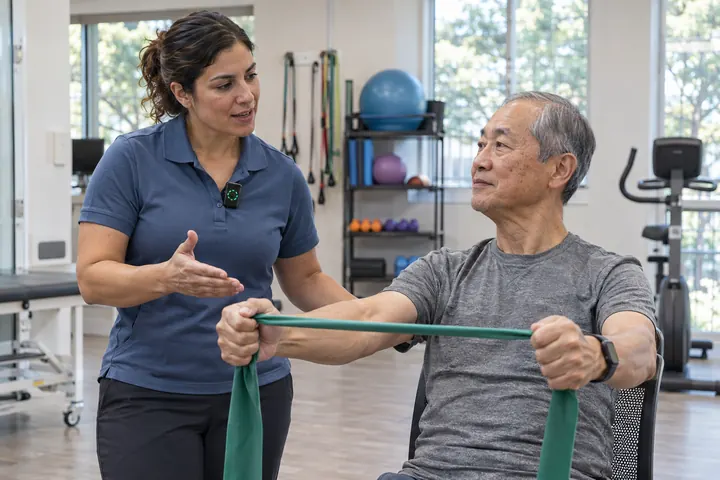
Capture: hands-free notes
One press to record notes or a meeting. Wi-Fi upload, transcripts, and a push to the software you already use.
Take notes hands-free, talk to your team and ask AI. A clip-on wearable with its own microphone and speaker, connected to your workplace Wi-Fi.
Capture notes, talk to your team and ask AI.
One press to record notes or a meeting. Wi-Fi upload, transcripts, and a push to the software you already use.
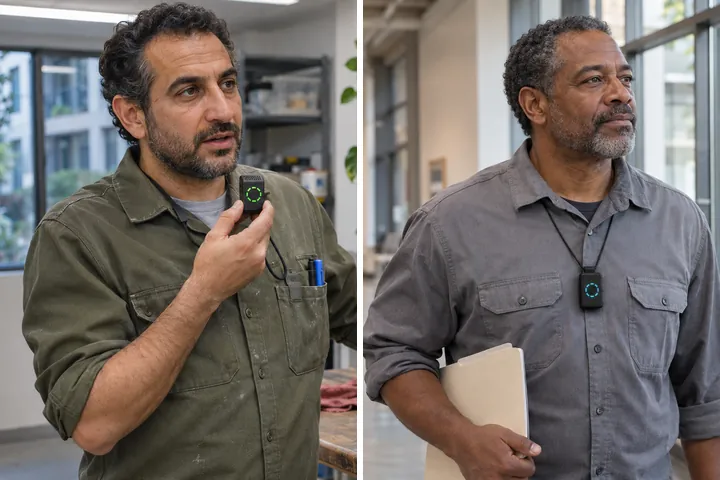
Push-to-talk between staff, from the same device. Messages play from its speaker, when you are ready or automatically.

Voice questions and commands to AI, like setting a reminder or a timer.
Device-driven AI: one press routes speech to the record, the team or AI. Staff control when it records.
Recording and transcription
Capture the words first. Review the result before you use or share it.
Illustrative transcript
“Stock check is finished. We need two boxes of gloves. Sam will place the order tomorrow.”
The device subscription covers recording and transcription. Individual Intelligence adds AI-generated records.
Written example only, not output from a recorded Extero session. Ask us to demonstrate your team's workflow.
Push-to-talk between staff, from the same device. Messages play from its speaker.
Extero is the AI wearable for hands-on teams. Pick yours.
The main button on the front and the agent button on the side do most of the work. The ring of lights tells you what the device is doing.

Spoken replies, messages, alert tones and the low-battery warning. A reply from your AI assistant plays by itself, and the ring shows cyan while it plays.
Green ring: recording. Cyan: a reply or message is playing. Blue: Bluetooth pairing mode. Red ring: reconnecting to Wi-Fi. Dark: idle and connected.
Hold about 2 s: turn on. 1 tap: start recording, tap again to stop. 3 taps: send a help request to your team. 4 taps: play a waiting message. Hold 1.5 s: Bluetooth pairing on or off.
Charges the battery; plugging in also turns the device on. The ring glows red slowly while charging and goes dark when the battery is full.
Each press changes the speaker volume one step; the lights show the level in white. Hold both together for 5 seconds to turn the device off.
Press once, speak, press again. A spoken answer plays from the device. Double-press to check the battery.
Veterinary customers on their experience with NxVET and NerveX, the team behind Extero.
“NxVET is an exciting breakthrough in how we practice veterinary medicine! It allows me to focus more on the patient and less on the paperwork.”
“The team at NerveX have done an amazing job at listening to the needs of vets, and the resulting NxVET technology is extremely impressive!”

Our own battery-powered hardware on site Wi-Fi. No phone needed, managed as a fleet. It stays clipped on all day, so a forgotten phone never means a missed record.
Battery-powered, on your site Wi-Fi.
Send recordings anywhere with the API, webhooks or the MCP server. Tell us your software.
Data goes only to the systems you choose.
Each person checks in on the device, so you still know who said what.
Extero is the AI wearable for hands-on teams. It clips on, with a microphone and a speaker built in. Take notes hands-free, talk to your team and ask AI. No phone needed.
Yes. Push-to-talk between staff, from the same device, on your site Wi-Fi. Messages play from its speaker, when you are ready or automatically, and you can replay the latest one.
No. You set Extero up once from the Extero app over Bluetooth. After that it works on your site Wi-Fi with no phone: recording, team messages and AI.
Send recordings and transcripts anywhere with the API, webhooks or the MCP server. Tell us which software you use and we will confirm the setup. Check software compatibility.
Your staff. One press routes speech to the record, the team or AI. Staff control when it records.
Yes. Each person checks in on the device, so you still know who said what.
Extero is on pre-order: your order joins our next shipping batch, and we email you tracking as soon as it ships.
Cancelling an annual subscription stops the next renewal. Unused prepaid months are not refunded.
On the Extero page, choose your billing period and number of devices, then continue to checkout. You enter your shipping address, pick a delivery option and pay by card on our secure Stripe checkout.
Up to 8 hours of battery life, depending on use. Extero weighs about 50 g (under 2 oz).
Extero is designed, assembled and tested in Canada.
Pre-order Extero today, or see it live with our team.


